
Private & Authenticated Schemas
When a schema lives behind authentication, VS Code's language server gets a 401, draws a red squiggle, and IntelliSense goes dark. This extension fixes that — it fetches the schema with your credentials and can cache it locally so the built-in language servers see it too.
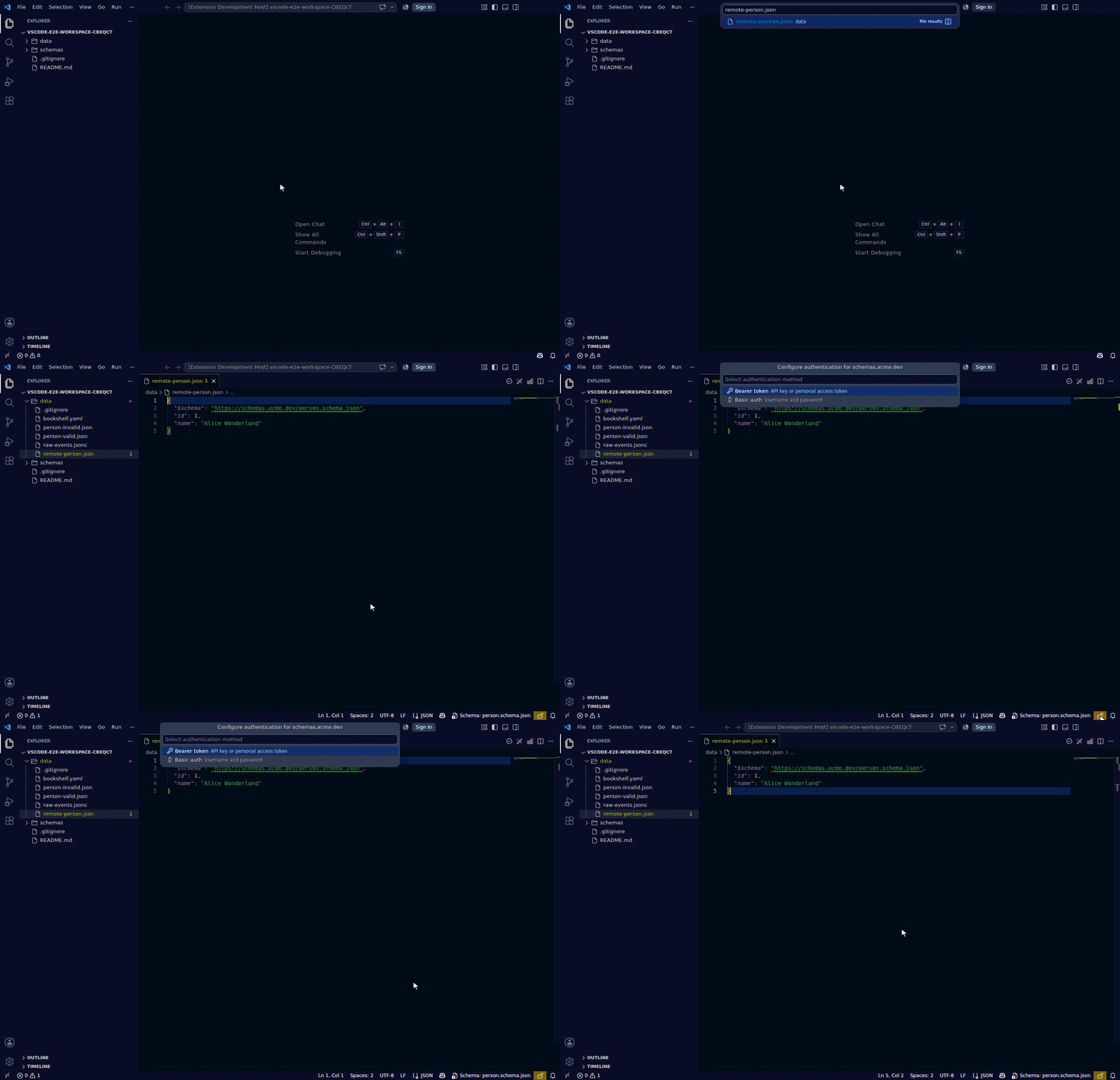
Configuring authentication
Run JSON Schema: Configure Schema Authentication… from the Command Palette and pick the method for your host:
| Method | Use for | How it works |
|---|---|---|
| GitHub OAuth | Schemas in private GitHub repos | Uses your existing VS Code GitHub session — nothing to paste |
| Bearer token | Artifactory, private registries, any HTTPS endpoint | Token sent as Authorization: Bearer … |
| Basic auth | Endpoints behind username/password | Credentials sent as HTTP Basic |
Tokens and passwords are stored in your OS keychain via VS Code's Secret Storage API — never in plain settings.
Discovery paths
You don't need to hunt for the command — authentication setup is surfaced wherever the problem shows up:
- Lightbulb on the
$schemaline — when VS Code can't load the schema, a code action appears directly on the problem line. - Validate command — if fetching the schema returns
401/403, Validate This File shows a Configure Auth button. - Status bar — a
🔒/🔓indicator reflects auth status for the current file's schema; click it to configure.
For a private GitHub repo specifically, an unauthenticated fetch gets a plain 404 instead of 401/403 — GitHub does this deliberately so a repo's existence can't be inferred without access. This extension recognises that case for GitHub hosts and offers Configure Auth the same as it would for a 401/403, so you don't need to work around it by hand (e.g. pasting a temporary token into the URL).
Eliminating the red squiggle
Configuring auth lets this extension fetch the schema, but VS Code's built-in JSON language server and the Red Hat YAML extension still fetch it themselves — and they don't share your credentials. The fix is to cache the schema to a local file.
Run JSON Schema: Cache Schema Locally (also offered directly by the lightbulb). The extension downloads the schema with your stored credentials and rewrites the json.schemas / yaml.schemas entry to point at the local copy. Both language servers then read it successfully — the squiggle disappears and IntelliSense works.
When the remote schema changes, run JSON Schema: Refresh Schema Cache to re-download the latest version, or enable jsonschema.cache.autoRefresh (see Configuration) to revalidate it automatically.